Since the two ships I intended to UV unwrap and texture were not made with this stage in mind (Too many cylinders, spheres and inefficient in the way that it was made up), I decided to start a new ship, focusing much more on design than trying to make it complex. Since starting the first ships I had a better grasp of how to use Maya so I found it much easier to do.


Half way through making the front of a ship, I thought of making it into a combination of something mechanical and an aquatic creature. After making the tail, I made the wings more streamlined to appear like fins, added a fin on top and a long pointed nose similar to a dolphin.
To begin with, the UV map opened up to the shape of an unfolded cube because the whole ship was built from editing a cube. Considered adding other elements but thought it might be unnecessary and take up even more time that was wasted from starting a new ship.
Using the previously learned steps on UV unwrapping, I unwrapped the ship. Had some difficulty since the unfold button didn’t work but learned that the ‘Unfold Along’ button worked the same. Followed some steps to tidy the disorganization on the UV editor, making it easier to navigate and texture.
Learned some colour theory in preparation for texturing the ship and decided I am likely going to make it blue with gradient textures as these look neat and suit the fairly simple model
Texturing involves exporting a snapshot of your UV map and opening it up in a program you can use to fill in and texture the panels. Using Photoshop since I am most comfortable with the program and using a combination of the magic wand tool and lasso tool because I have more control over where the selection is made.

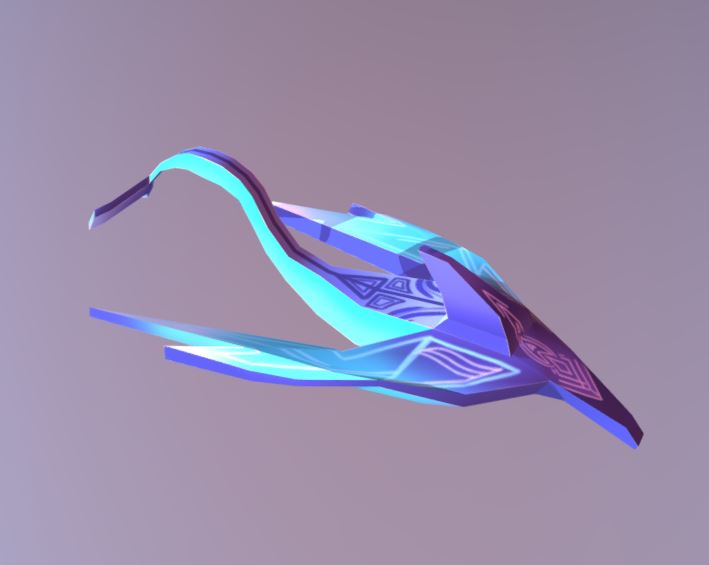
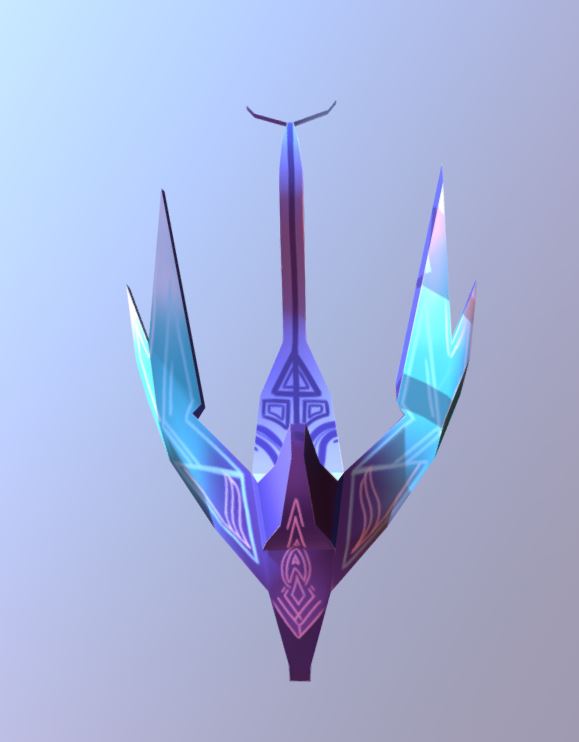
Tried adding metal textures but the result didn’t look good so I added gradients in colour schemes I liked and designs to different areas of the ship. Tail and pattern underneath the ship were based on a whale or fish. Could have made design on the ‘nose’ of the ship beforehand to make it look more intricate and pasted it onto the UV map. May need to practice using photo textures on models to make them look more realistic or practice using textures on UV maps enough to make it look seamless.

 Grace's Blog