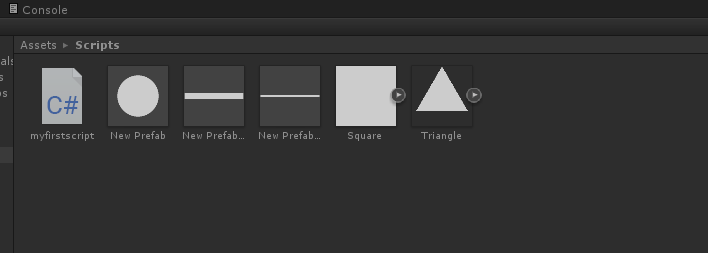
This lesson I learned about prefabs and how to create them. Prefabs are objects with specific characteristics that have been saved for future use to save time.
Things called physics effectors affect the way things interact with them. In the example of a platform and ball, platforms can act as magnets with physics effectors applied to them, make the ball float and be used as a treadmill or ramp to speed the ball up. For this to work, the option ‘Used by effector’ must be ticked manually. With prefabs, the settings can already be set correctly to save time.
Physics Effectors can be useful in game design when the level demands different situations such as wind pushing the player in a different direction, treadmills slowing the player down, platforms used to speed the player up or pulling the player in a specific direction. Types of Effectors include:
Area Effectors: affects the way the air in an area moves. Could be used as wind movement. Usually the area affected has no visible sprite.
Surface Effectors: Conveyor belts that speed the player up when they move onto a platform
Buoyancy Effector: Makes objects float
Point Effector: Pulls or pushes objects against a specific point like a magnet.
The settings on the physics effectors can be modified and affect the ball on different scales. If the level is moving too slowly, an area effector can be added to the whole level to speed it up and the player won’t be able to tell because the area is usually invisible outside of scene mode.
A problem I encountered while making the level was the ball falling through platforms even with box colliders applied. I found out that it was because the platform and therefore the collider was too small an area to be detected. The problem usually occurred when the ball was moving at a high speed towards the collider. Made the platforms bigger and the problem was resolved



 Grace's Blog